

Know who's in, who's late and what to pay
Punches from biometric devices and the mobile app become a clean daily record for every employee, checked against their shift and ready for payroll without anyone typing hours.
- Biometric and mobile
- Shifts and rosters
- Feeds payroll
Why it matters
Attendance that runs itself, across every site
Biometric, mobile and location-verified check-ins, judged against each person's shift and ready for payroll. Late arrivals, missing punches and overtime are caught on the day, not discovered at month end.
Every punch, captured
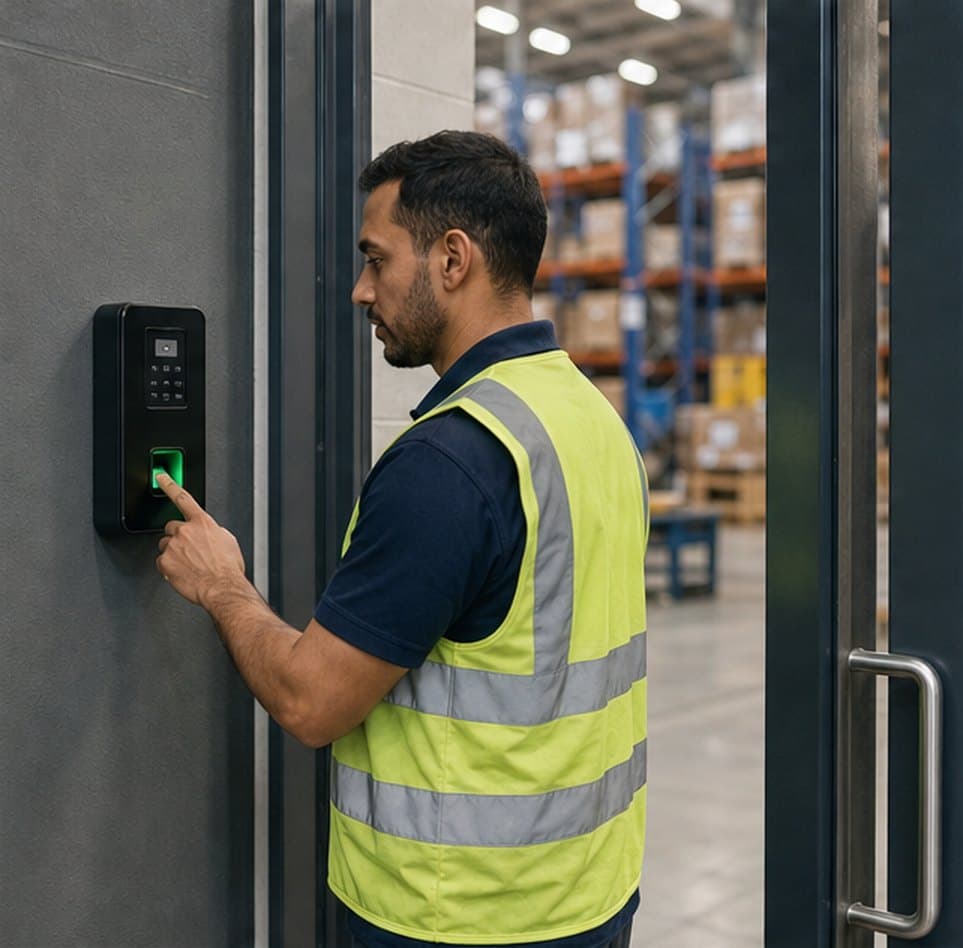
Biometric terminals push punches as they happen, and staff without a terminal check in from the mobile app.
Judged against the shift
Each day is classified as present, late, short or absent using that person's own shift, grace time and rules.
Corrections with approval
Missed a punch? Employees request a correction, it's approved, and the record updates itself.
01Biometric and mobile
Connect the devices you already have
Fingerprint and face terminals push punches to Nexa People securely, with fingerprint and face templates staying on the device. Field and remote staff check in from the mobile app, with location, approved network or registered device checks where you require them.
- Works with ZKTeco, Suprema, eSSL, Hikvision and other devices
- ZK-protocol devices can also be synced from the platform
- Mobile check-in with location, selfie, network or device checks
- Punches made without signal are kept and sent later
02Shifts and rosters
Shifts and rosters for every kind of team
Build shifts with grace minutes, breaks and overnight hours, then roll out a monthly roster to whole teams at once, or upload it from a spreadsheet. Each shift carries its own rules for late, early, short-day, half-day and absent.
- Overnight shifts, breaks and sign-in and sign-out windows
- Monthly rosters assigned in bulk or from a spreadsheet
- Weekly off days set per employee or group
- Shift and shift-transfer requests with approvals
- Full
Day shift · 07:00–16:00
42 people · grace 10 min
- 1 pending
Evening shift · 14:00–23:00
28 people · 1 swap pending
- Full
Night shift · 22:00–06:00
19 people · overnight
Rosters roll out to every employee on the team at once.
03Requests and month-end
Clean records at month-end, without the chase
Employees fix gaps themselves with correction, remote-work and exemption requests that go through your approval chain. Penalty rules handle repeat lateness, and the month closes with a summary that payroll reads directly.
- 7 request types, all in one approvals inbox with up to 5 levels
- Amend records by employee or date range, or re-upload from Excel
- Penalty rules that can deduct from leave balances
- Month-end close with a summary export
Approved
1 item
Remote work
MLMei Lin · Thu and Fri
Pending
1 item
Shift transfer
YRYusuf Rahman · Night to day, next week
See attendance turn into payroll-ready records.
Free for 24 hours
How it works
From setup to done, step by step
Set it up once with our team. After that, it runs every day on its own.
- 1
Connect your devices
Register biometric terminals with your company token, or turn on mobile check-in with the checks you need.
- 2
Set shifts and rosters
Create shifts with their rules and roll out a monthly roster to each team.
- 3
Let punches flow
Every punch becomes a daily record, judged against the person's shift: present, late, short or absent.
- 4
Approve corrections
Employees request fixes, approvers sign off, and the record updates itself.
- 5
Close the month
Run month-end close and payroll reads the approved hours and flags directly.
Nexa AI
Ask Nexa who's missing and fix it in one go
The Nexa agent reads attendance the same way you do, finds the gaps and prepares the fixes. It asks before it changes any record.
See how the Nexa agent works“Who has missing punches this week?”
5 employees have missing punches this week, 3 of them in Warehouse. Each name links to their attendance record.
“Approve the pending attendance corrections for my team.”
4 corrections are pending for your team. Ready to approve them all once you confirm.
“How many people were late in Operations last month?”
23 employees in Operations had at least one late day in June; 6 were late more than three times.
Everything included
Every detail of attendance, covered
- Biometric devices
- Fingerprint and face terminals push punches securely, with templates kept on the device.
- Mobile check-in
- Check in and out from the app with location and selfie checks where required.
- Where punches can come from
- Restrict punches to approved networks, a geo-fence or a registered device, per employee.
- Works offline
- Punches made without signal are stored on the phone and sent when it reconnects.
- Overnight shifts
- Shifts that cross midnight are counted as one working day.
- Bulk rosters
- Assign a month of shifts to a whole team, or upload them from a spreadsheet.
- Up to 5 approval levels
- Corrections and requests follow the chain you set, never to the person who asked.
- Excel re-uploads
- Re-uploading updates existing records instead of creating duplicates.
- Your time zone
- Every day is judged in your organisation's own time zone.
One platform
Attendance isn't all Nexa People does

Leave types, balances and multi-level approvals that keep attendance and payroll in sync on their own.

Configurable payroll that reads approved attendance, leave and overtime, and shows its working on every payslip.
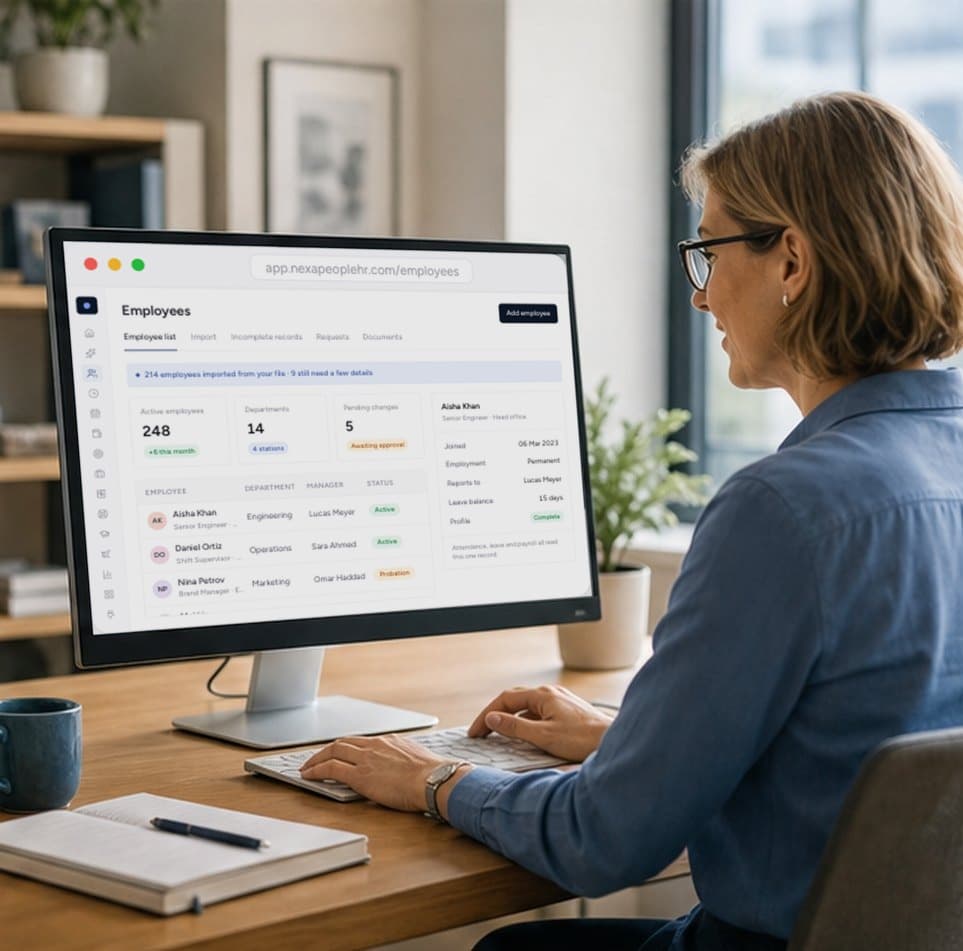
One record for every employee, kept accurate by approved changes and shared by every module.
Start free today
Stop chasing timesheets at month end
Punches from your devices and the mobile app become clean daily records, judged against each shift and ready for payroll. Start free, or talk to sales about your biometric devices.
- 01Biometric and mobile check-in
- 02Ready for payroll
- 03Shifts and overtime built in
Devices from ZKTeco, Suprema, eSSL and Hikvision are supported, along with other terminals that can push punches to our API. ZK-protocol devices can also be synced from the platform. Fingerprint and face templates stay on the device.
Yes. The Nexa People mobile app lets employees check in and out, with location and selfie checks where their employer requires them. Punches made without signal are stored and sent later.
No. Location is only checked at the moment someone punches in or out, and only for employees you've set restrictions for. There is no background tracking.
Against each employee's own shift: its start and end times, grace minutes, breaks and its rules for late, early, short-day, half-day and absent.
They raise an attendance correction request, it goes through your approval chain, and once approved the record updates automatically.
Yes. Payroll reads the month's attendance directly, skips approved leave, holidays and weekends, and applies your deduction and overtime rules.