

Connected to the tools you already run on
Pull punches from biometric devices, post payroll journals to SAP, export salary files, send email through your provider, and let approved AI assistants work through Nexa People, all with secure, scoped access.
- Biometric and SAP
- Scoped API keys
- AI assistants via MCP
Why it matters
One HR record, connected to everything around it
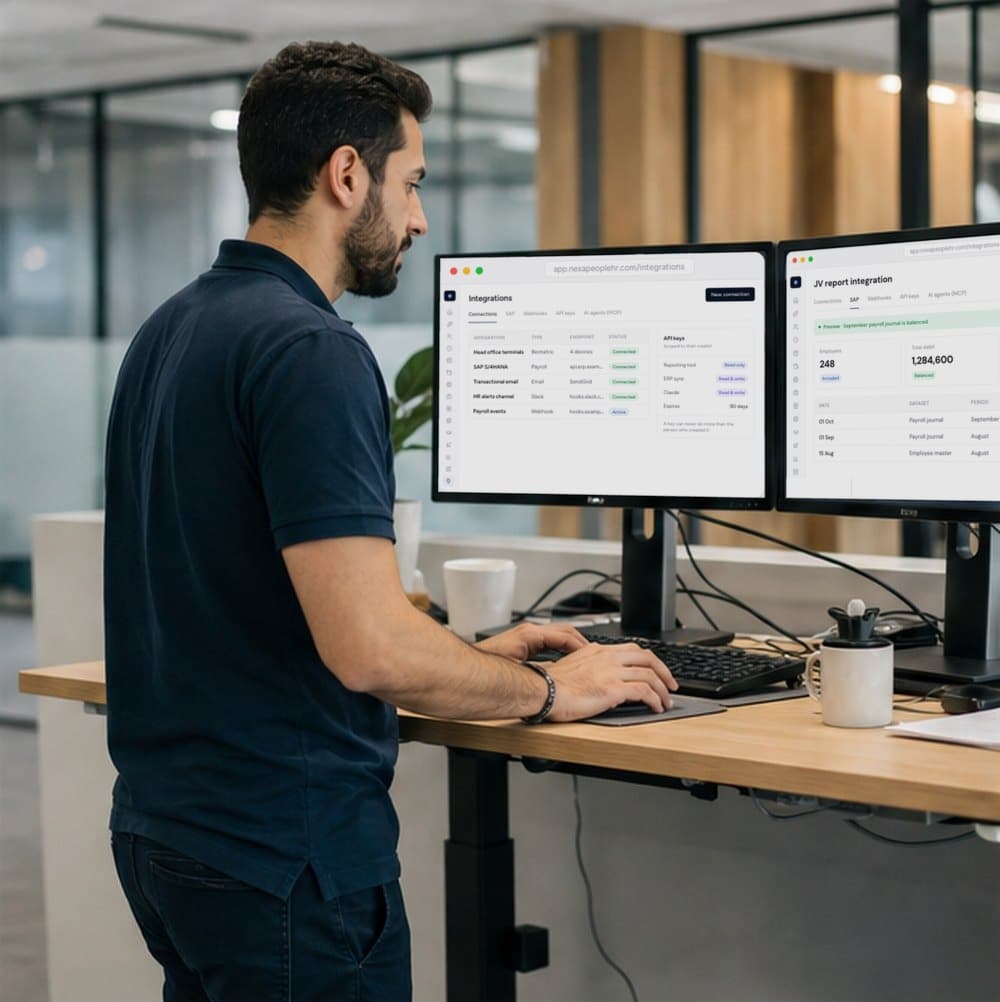
Biometric devices, SAP, salary files, email, webhooks, API keys and AI assistants, all connected to one HR record. Data moves in and out with scoped, secure access, so the tools you already run keep working with Nexa People.
Data in, automatically
Biometric devices push punches as they happen, so attendance is never typed in by hand.
Data out, the way finance wants it
Payroll journals to SAP, salary files for the bank, and reports by email.
Access you control
Every connection uses scoped keys that can never do more than the person who made them.
01Biometric devices
Fingerprint and face terminals, synced on their own
Connect ZKTeco, Suprema, eSSL, Hikvision and other terminals. Devices push punches to Nexa People with your company token, ZKTeco and Hikvision can also be pulled from, and every device syncs on a timer or on demand.
- ZKTeco, Suprema, eSSL, Hikvision and other devices
- Push with a company token, plus pull for ZKTeco and Hikvision
- Automatic sync on a timer, or Sync now per device
- Fingerprint and face templates stay on the device
Active
3 items
Plant gate · Hikvision
Riverside · synced 5 min ago
Warehouse · eSSL
North branch · synced 1 min ago
Staff room · Suprema
Head office · synced 3 min ago
Regenerate the company token at any time.
02SAP and salary files
Payroll journals and salary files, ready for finance
Map GL accounts, cost centres and SAP field names once, preview the journal to check it balances, then download it or send it straight to your SAP endpoint. Export WPS salary files for the bank with a preview of who is included.
- Employee master, attendance, payroll detail and payroll journal
- GL account and cost-centre mapping, with your own field names
- CSV or JSON, downloaded or posted to SAP with secure auth
- WPS salary files for monthly pay and advance vacation
03API, webhooks and AI
Build on Nexa People, or let your AI tools use it
Create API keys with read, write or full scope that expire on your schedule. Register webhooks, connect email through SendGrid, SMTP or SES, and connect AI assistants like Claude or Cursor through MCP, with exactly the permissions of the key's owner.
- API keys: read only, read and write, or full access
- Keys expire after 30, 90, 180 or 365 days, and can be revoked
- Webhooks with POST, PUT or GET, signed payloads and retries
- MCP endpoints per area for Claude and Cursor
Not sure your devices or systems will connect? Talk to sales.
Free for 24 hours
How it works
From setup to done, step by step
Set it up once with our team. After that, it runs every day on its own.
- 1
Connect your devices
Register biometric terminals with your company token and let punches flow in.
- 2
Map finance once
Set GL accounts, cost centres and SAP field names for your journals.
- 3
Create scoped keys
Issue API keys for each tool, with only the access it needs.
- 4
Plug in your AI
Copy the MCP endpoint into Claude or Cursor and work through Nexa People safely.
Nexa AI
Your AI assistant, connected to your HR
Through MCP, approved assistants can read and act in Nexa People with the same permissions as the person who owns the key, and read-only keys never get the ability to change data.
See how the Nexa agent works“From Claude: who's on leave in Engineering next week?”
3 people: Aisha Khan (Mon), Lucas Meyer (Mon–Wed) and Priya Nair (Fri).
“From Cursor: list the departments with unmapped cost centres.”
2 departments have no cost centre yet: Support and Field Sales.
“Generate the September payroll journal preview.”
September journal: 248 employees, debit and credit both 1,284,600, balanced. Ready to send once you confirm.
Everything included
Every detail of integrations, covered
- Biometric devices
- ZKTeco, Suprema, eSSL, Hikvision and more, synced on a timer.
- SAP export
- Employee master, attendance, payroll detail and payroll journal.
- Send to SAP
- HTTP POST with Basic, Bearer or custom-header auth.
- Export history
- Re-download or retry any export.
- WPS salary file
- With a preview of who's included and why anyone is left out.
- Email providers
- SendGrid, SMTP or SES, with templates and an email log.
- Webhooks
- POST, PUT or GET, with signed payloads and retry on failure.
- Scoped API keys
- Read, write or full access, with expiry and revoke.
- MCP for AI assistants
- Endpoints for Claude and Cursor.
- LinkedIn and Workable
- Post jobs to LinkedIn and bring candidates in from Workable.
- Connections register
- Keep every biometric, payroll, Slack, email and webhook connection in one list.
- Allowed IPs
- Limit integrations to the networks you trust.
One platform
Integrations isn't all Nexa People does
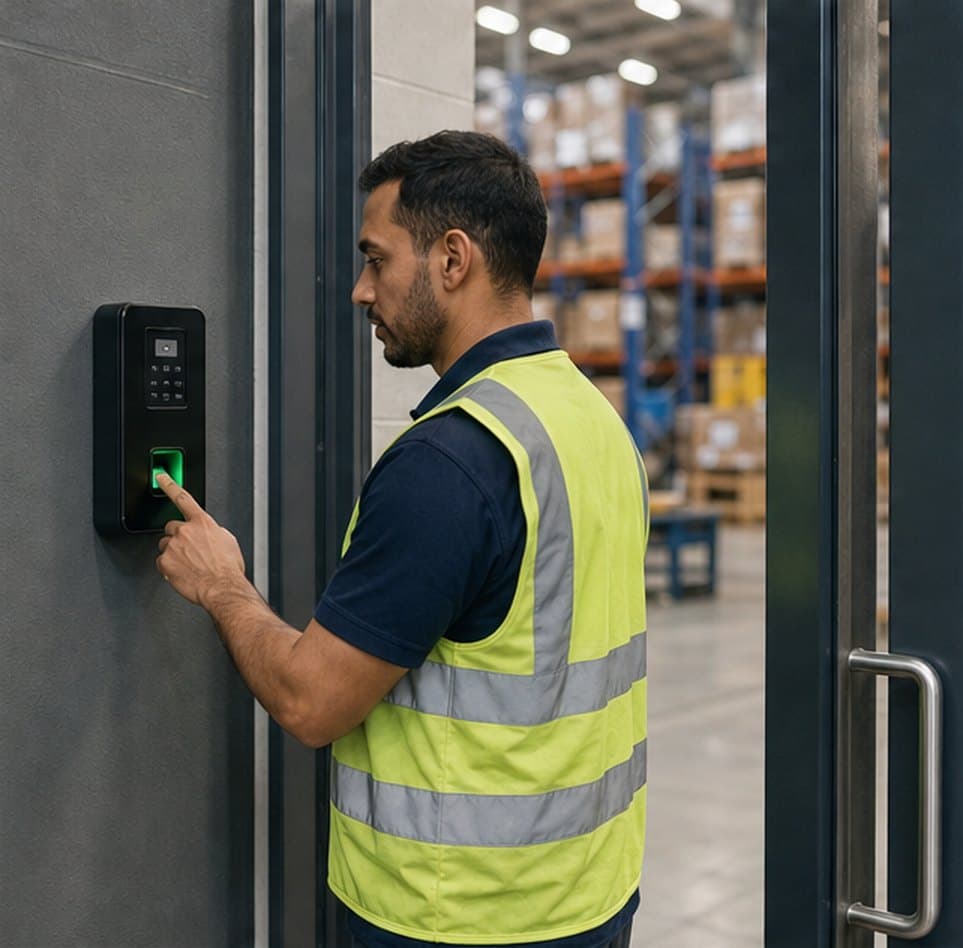
Biometric, mobile and location-verified check-ins, judged against each person's shift and ready for payroll.

Configurable payroll that reads approved attendance, leave and overtime, and shows its working on every payslip.

An AI agent that works through your HR with your permissions, asks before it acts and keeps a record of everything.
Talk to sales
Connect Nexa People to the tools you run
Biometric devices, SAP, salary files, email and your AI assistants, all with secure, scoped access. Tell us what you use and we'll show you how it connects.
- 01Biometric devices
- 02SAP and salary files
- 03Scoped API keys
ZKTeco, Suprema, eSSL and Hikvision terminals, plus other devices that can push punches to our API. Devices sync automatically on a timer, and you can sync any device on demand.
Yes. Map your GL accounts, cost centres and SAP field names, preview the journal to check it balances, then download it as CSV or JSON or send it straight to your SAP endpoint.
Yes. Nexa People exports WPS salary information files for monthly pay and advance vacation, with a preview of who is included and why anyone is left out.
Yes. Create API keys with read only, read and write, or full access, set them to expire after 30 to 365 days, and revoke them at any time. A key can never do more than the person who created it.
Yes. Nexa People publishes its API as MCP tools, with one endpoint for everything or one per area. Assistants work with the key owner's permissions, and read-only keys never get tools that change data.
SendGrid, SMTP or SES, with email templates and a log of every email sent.