

One record for every employee, always up to date
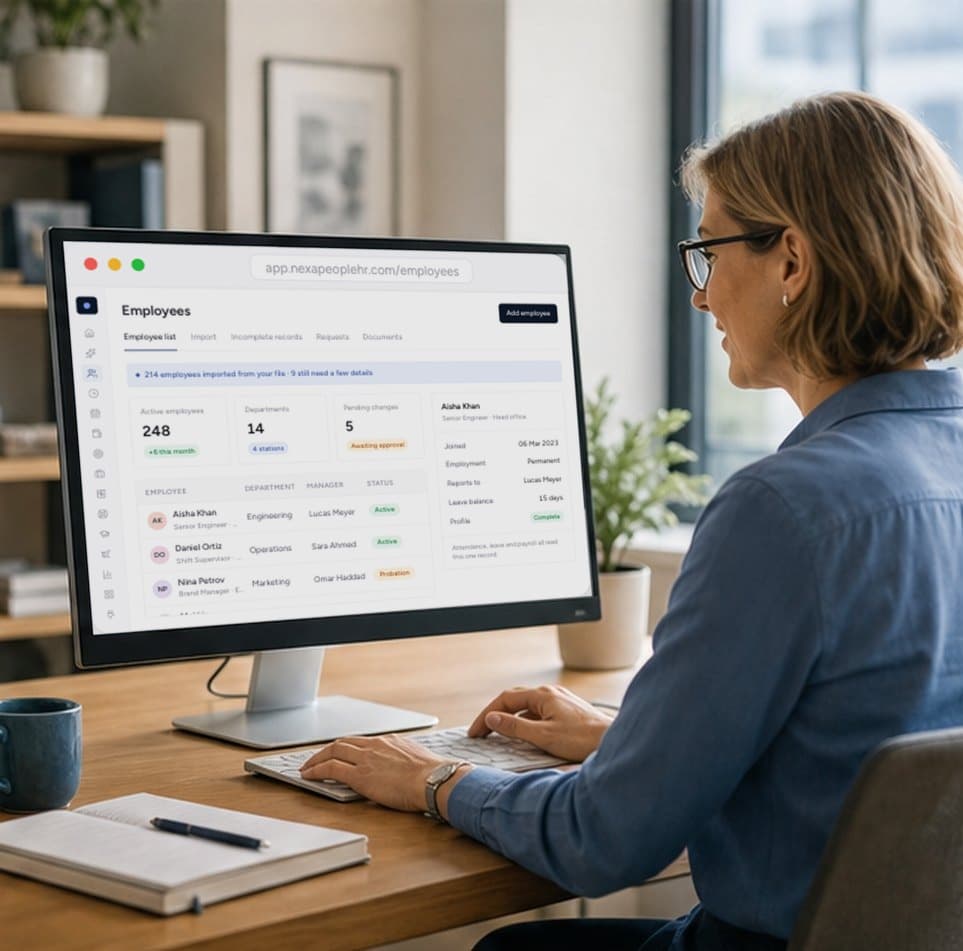
Every person gets one secure profile that attendance, leave, payroll and reports all read from. Changes go through approval and write themselves back, so your records never drift.
- Import in minutes
- Approved changes only
- Role-based access
Why it matters
The single source of truth your whole company reads
One record for every employee, kept accurate by approved changes and shared by every module. Attendance, leave and payroll all read from the same profile, so a change made once is right everywhere, with a full history behind it.
One profile per person
Identity, contract, reporting line, documents and history in one place, used by every module.
Changes with approval
Profile edits, transfers and resignations go through approval, then update the record automatically.
Access by role
A permission matrix by module, form and action decides exactly who sees and changes what.
01Import any file
Bring everyone in from the file you already have
Upload your own spreadsheet, not our template. Nexa People previews the import first, creates or updates up to 500 people at a time, and never refuses a row just because a field is missing. It lists exactly who still owes which details instead, so you can finish them later.
- Your own CSV or Excel file, previewed before anything is saved
- Up to 500 employees per import, created or updated
- Missing details reported, not refused, with a list of who owes what
- Upload the same file again and it updates, never duplicates
02Change requests
Changes that update the record themselves
Employees and managers raise profile, information, transfer, resignation, suggestion and delegation requests. Each type is auto-approved or goes through up to five levels, and once approved, the change is written straight back to the record.
- 6 request types, each auto-approved or routed for approval
- Approvers by name, line manager, levels above or department head
- Choose which fields employees can edit directly
- Anonymous suggestions with analytics
- Level 2
Transfer
DODaniel Ortiz · Operations to Warehouse
- Approved
Profile update
AKAisha Khan · New address and phone
- Under review
Suggestion
AAnonymous · Flexible Fridays in summer
03The whole lifecycle
From first day to re-hire, nothing is lost
People are never deleted. When someone leaves they're marked inactive with their exit type and date, and their login is disabled. If they come back, re-hire restores the original record with all its history.
- A 5-step add-employee form with your own mandatory fields
- Inactive status, exit type, leaving date and blacklist flag
- Re-hire restores the original record
- Move many people to a new department at once
See how one employee record powers every module.
Free for 24 hours
How it works
From setup to done, step by step
Set it up once with our team. After that, it runs every day on its own.
- 1
Import your people
Upload a spreadsheet or add employees with the 5-step form.
- 2
Send their logins
Create self-service accounts in bulk and email everyone their credentials.
- 3
Set who can do what
Use the permission matrix, or copy a role template, to control access by module, form and action.
- 4
Let changes flow
Employees request changes, approvers sign off, and the record updates itself.
Nexa AI
Ask Nexa to update records for you
Attach a spreadsheet and Nexa maps the columns and imports it through the same importer you use. Only the headers and a few sample rows are shown to the AI, never the full file.
See how the Nexa agent works“Import these new hires from the attached spreadsheet.”
Matched 9 columns to employee fields and found 14 new employees. Ready to import once you confirm.
“Move everyone in Field Sales to the Sales department.”
12 employees in Field Sales. Prepared the department change; confirm to apply it.
“Who reports to Lucas Meyer?”
8 people report to Lucas Meyer, all in Engineering. Their profiles are linked below.
Everything included
Every detail of employee management, covered
- 5-step add form
- Choose which fields are mandatory, and the server enforces it.
- Import any format
- Your own CSV or Excel file, previewed first, up to 500 rows at a time.
- Filtered export
- Export every row that matches your filters to CSV.
- Field-level rules
- Decide which fields employees edit directly and which need approval.
- Up to 5 approval levels
- By person or by role, including line manager and department head.
- Re-hire
- Bring someone back with their original record and history.
- Bulk logins
- Create self-service accounts and email credentials in one go.
- Bulk department moves
- Reorganise many people at once.
- Country fields, your way
- Configure the national ID, social-security and bank fields your country needs.
One platform
Employee management isn't all Nexa People does

One board for every new hire's tasks and documents, so nobody starts without a laptop, a login or a contract.
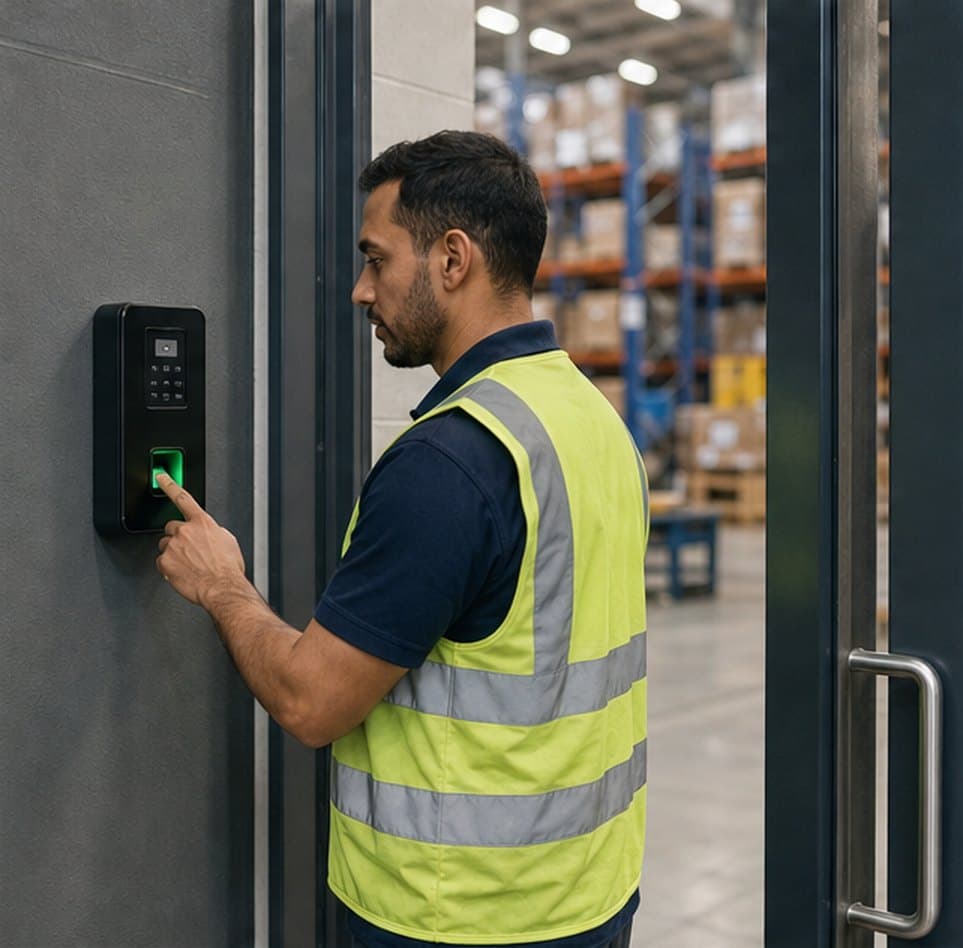
Biometric, mobile and location-verified check-ins, judged against each person's shift and ready for payroll.

Configurable payroll that reads approved attendance, leave and overtime, and shows its working on every payslip.
Start free today
Get every employee record right, in one place
One record per person that attendance, leave and payroll all read from, with changes approved before they land. Start free, then import your own spreadsheet in any format when you're ready.
- 01One source of truth
- 02Import any file
- 03Changes approved first
Upload the spreadsheet you already have, in your own format. Nexa People previews the import, creates or updates up to 500 employees at a time, creates missing departments, stations and designations by name, and links managers. Missing fields don't block a row; you get a list of who still owes which details.
It updates the existing employees, matched by employee code or email, instead of creating duplicates.
Yes, through self-service. You decide which fields they can edit directly and which need approval. Approved changes are written back to the record automatically.
Nothing is deleted. The employee is marked inactive with their exit type and leaving date, and their login is disabled. If they return, re-hire restores the original record.
Only people you allow. A permission matrix controls access by module, form and action, and it's enforced on the server, not just hidden in the screen.
Yes. National ID, social-security, bank and similar fields can be configured to match the country you operate in.